Math Shapes | Exercise
I don't always have access to software like Photoshop to create my textures. This is why I wanted to create simple geometric shapes using only nodes (mathematical functions) in the material editor of Unreal Engine. Besides, using this method, it is much easier to create new instances without having to redraw.
Depending on the shapes, I repeated the process two or three times for each of the material to get a whole shape, a half-empty shape, and an empty shape with smaller borders.
Inspired by a video Cowsmanaut did | Link to reference: https://youtu.be/rVWfS_bhltc?t=2
And by a video Yoeri -Luos- Vleer did | Link to reference: https://youtu.be/rmoDHJnjF7g
And based on this link too: https://realtimevfx.com/t/no-more-textures/9526/5
And this video from Mokomo: https://youtu.be/kcJI5EcpNaE?t=1

This shape was simple to do since it only requires dots and to changed the UV to get the right position. I didn't show the Mask part since it's the same steps, only with a one minus at the end and smaller shape.
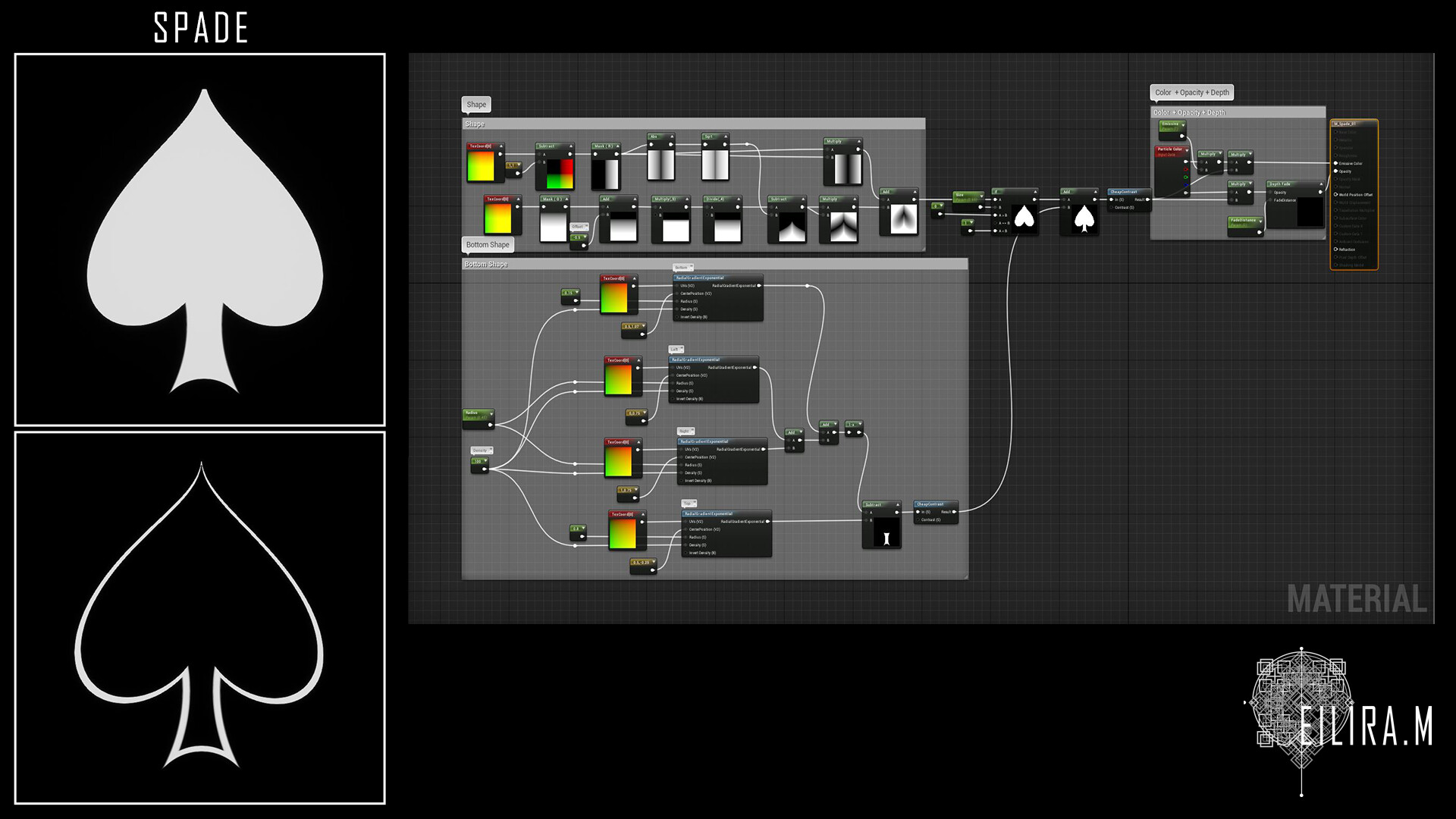
For this one, I combined the heart shape and the trefoil shape to made a spade.

This shape only needs a dot where you mask a part of it with another.

Even if this shape looks easy, I didn't know how to do it and only learned it from a video I linked in the description (Mokomo).

After learning how to do a square, I wanted to do a cross shape. I applied what I learned and got this result. The instances were random try that came along the way.

For the basic shape, I used the GeneratedBand node and with the basics of the square learned before, I simply changed the size (Height and Width) to get a rectangle and added a one minus to create the mask for the middle.

This shape is only a dot that was stretched with the TexCoord node.

This one was easier to do since I went with the base of a square and asked myself what I need to remove to get a triangle. And here it is.

This one was tricky even tho it uses the triangle shape just before since I had trouble to rotate the shape to get the reverse side. After a lot of tries, I realized with some help, that I only needed a one minus at the right place.
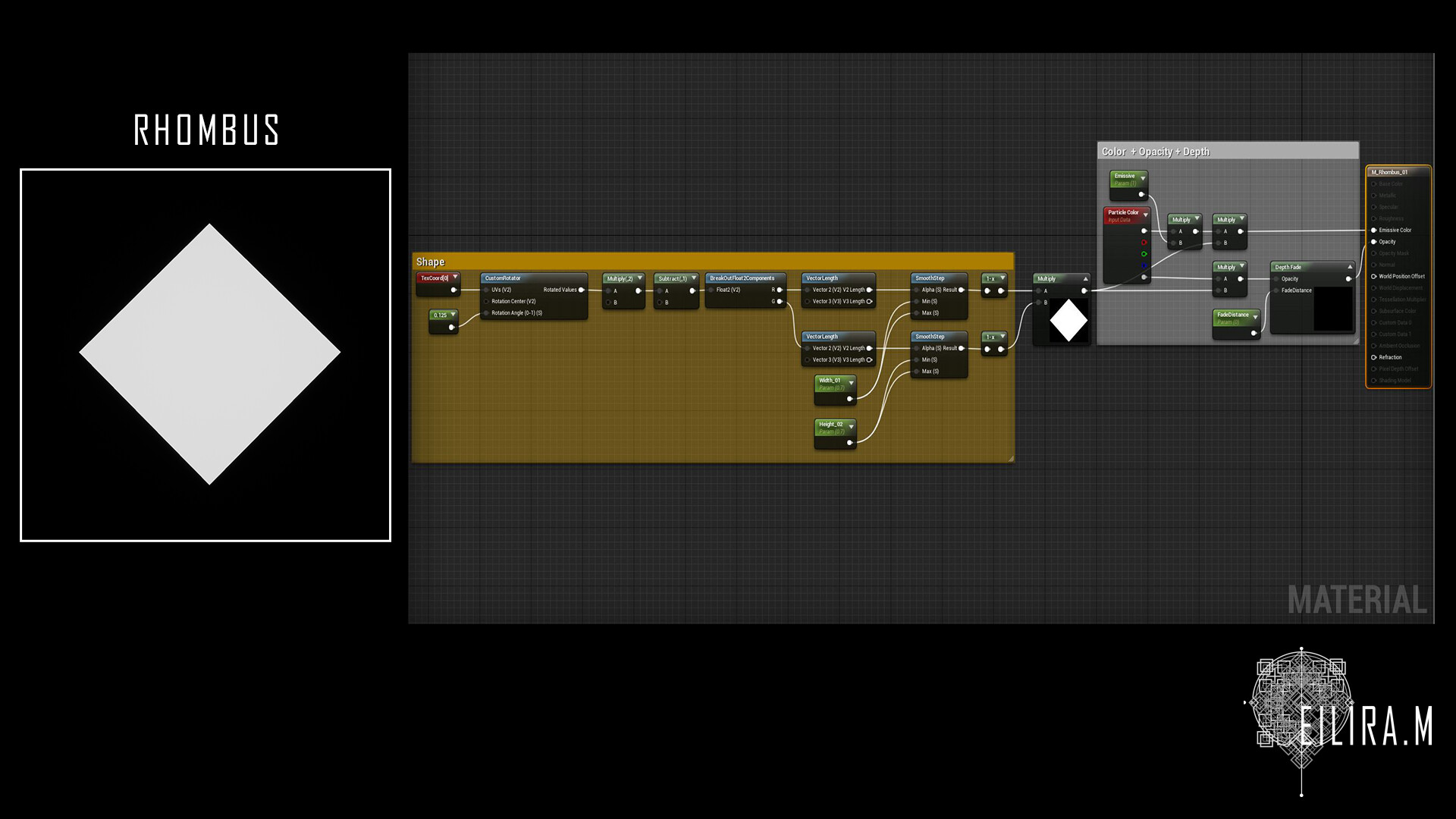
This one was done by try and mistake. I used the base of the square shape and by only changing the Min and Max of the SmoothStep node, I got 3 different shapes and the rhombus was one of them.

This one was learned based on the link from Real-Time VFX.

This one was done by try and mistake. I used the base of the square shape and by only changing the Min and Max of the SmoothStep node, I got 3 different shapes and the Octagon was one of them.

This one was more complicated and I learned to do it based on a video I linked in the description (Cowsmanaut).

I learned to do it based on a video I linked in the description (Cowsmanaut).
